
UFC 5 Xbox controls: the full map
Xbox controls in UFC 5 follow the same four-phase structure as the PlayStation map, with the face buttons shifted one slot: X and Y are the hands, A and B are the legs. The inputs below come from EA's Xbox control page, and they are the same inputs the official tips library quotes for every individual technique — which is why the tips pages read in Xbox notation and PlayStation players have to translate.
How to read this page
Press order runs left to right. Hold means keep the button down. Triggers are modifiers, not actions on their own: LT is the body modifier in the stand-up game, RT is block, and the two together are the takedown denial. All of it assumes orthodox stance; press R3 to switch and the lead side changes without the buttons changing.
Stand-up: strikes and entries
| Action | Xbox input | Notes |
|---|---|---|
| Jab / straight | X or Y | Hold LT for the body version |
| Hook | LB + X / LB + Y | Close range, heavy damage |
| Uppercut | RB + X / RB + Y | Counters a leaning opponent or a takedown attempt |
| Overhand | LB + X (Hold) / LB + Y (Hold) | The most damaging punch and the most expensive |
| Head kick | LB + A / LB + B | Very high vulnerability on a miss |
| Body kick | LT + A / LT + B | Chips body health and Maximum Stamina |
| Wrestling single leg | LT + X + A | Basic takedown |
| Wrestling double leg | LT + Y + B | Longer range, slower entry |
| Power single leg | LT + X + A (Hold) | Slower, stronger finish |
| Power double leg | LT + Y + B (Hold) | Same trade-off |
| Single collar clinch | X + A | Enters the clinch |
Stand-up: defence and movement
| Action | Xbox input |
|---|---|
| Defend takedown | LT + RT |
| Defend clinch | Move right stick up, down, left or right |
| Minor lunge | Flick left stick |
| Major lunge | LB + left stick |
| Pivot lunge | LB + right stick |
| Signature evade | LB + flick left stick |
| Switch stance | Press R3 |
Clinch
| Action | Xbox input |
|---|---|
| Advance position | RB + X / RB + Y |
| Trip or throw | RB + A / RB + B |
| Submission from clinch | LT + RB + X / LT + RB + Y |
| Body knees | LT + A / LT + B |
| Head knees | LB + A / LB + B |
| Elbows | LB + X + A / LB + Y + B |
| Single/double leg modifier | Left stick up, down or right |
| Defend takedown or throw | LT + RT |
| Defend submission | RT |
| Defend leg modifier | Left stick left, up or down |
| Clinch escape | Left stick left |
Ground
| Action | Xbox input | Notes |
|---|---|---|
| Get up | Left stick up | Grapple Assist default |
| Submission | Left stick left | Grapple Assist default |
| Ground and pound | Left stick right | Grapple Assist default |
| Defend transition | RT + right stick / RT + left stick | Match direction |
| Transition (legacy HUD) | Right stick any direction | Hybrid or Legacy HUD only |
| Submission (legacy HUD) | LT + right stick any direction | Same |
| Additional transitions (legacy) | LB + right stick any direction | Same |
| Hooks from top | LB + X / LB + Y | Ground and pound |
| Body straights | LT + X / LT + Y | Stamina damage |
| Body hooks | LT + LB + X / LT + LB + Y | Highest body damage |
| Elbows from top | RT + X / RT + Y | Cuts, but you posture down |
| Head movement on ground | Right stick left or right | Slips straights |
| Post defence | LB + right stick left or right | Stops hooks |
The inputs the tips pages assume
Every technique page in EA's tips library — all ninety-odd of them — quotes Xbox buttons. When a page says LT + RB + Y for a flying triangle, that is the Xbox input and the PlayStation equivalent is L2 + R1 + Triangle. The pattern is fixed across the whole library:
| Xbox | PlayStation | Function in most inputs |
|---|---|---|
| X | Square | Lead hand |
| Y | Triangle | Rear hand |
| A | X | Lead leg |
| B | Circle | Rear leg |
| LB | L1 | Strike modifier |
| RB | R1 | Heavy strike or clinch modifier |
| LT | L2 | Body modifier and grapple modifier |
| RT | R2 | Block and denial |
Learn that table and the rest of this site becomes readable regardless of which console you are on.
Grapple Assist changes the ground inputs
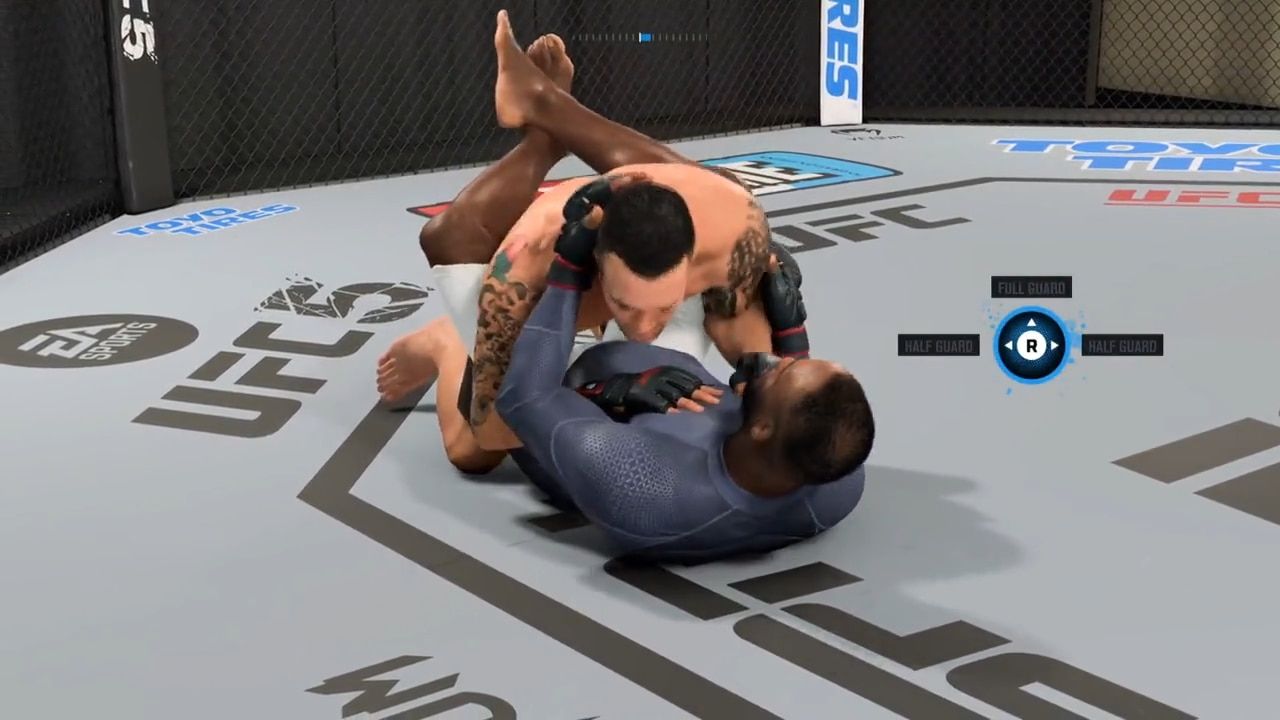
With Grapple Assist on, the left stick becomes a goal selector on the ground: up for the closest get-up, left for the closest submission, right for the nearest ground-and-pound position, and holding LB takes the best available option rather than the closest one. Switch to Hybrid or Legacy HUD and the left-stick shortcuts are replaced by right-stick transitions. EA's own advice is Hybrid or Legacy for online, because Assist transitions are readable.
Where the Xbox and PlayStation pages drift
They do not, mechanically — only the physical button carrying each limb changes. A guide written in Xbox notation is directly usable on PlayStation once you know the mapping; switching consoles mid-cycle transfers nothing, because UFC 5 has neither cross-play nor cross-progression.
Next: Beginner guide · Striking offense · Ground offense